How CMS Platforms Simplify Website Management in 2026 Introduction: Why Your Website Needs a Smarter System
Managing a website in 2026 is no longer just a technical task it is a core business function. Whether you run a local shop, a growing SaaS startup, or a large enterprise, your website is your most visible asset. Yet, updating content, fixing pages, managing media files, tracking SEO, and coordinating team workflows can quickly become overwhelming without the right infrastructure.
This is exactly where a content management system website solution changes the game.
A CMS or Content Management System gives businesses a centralized, user-friendly platform to create, edit, organize, and publish web content without writing a single line of code. From solo bloggers to Fortune 500 companies, CMS platforms have become the backbone of modern website management.
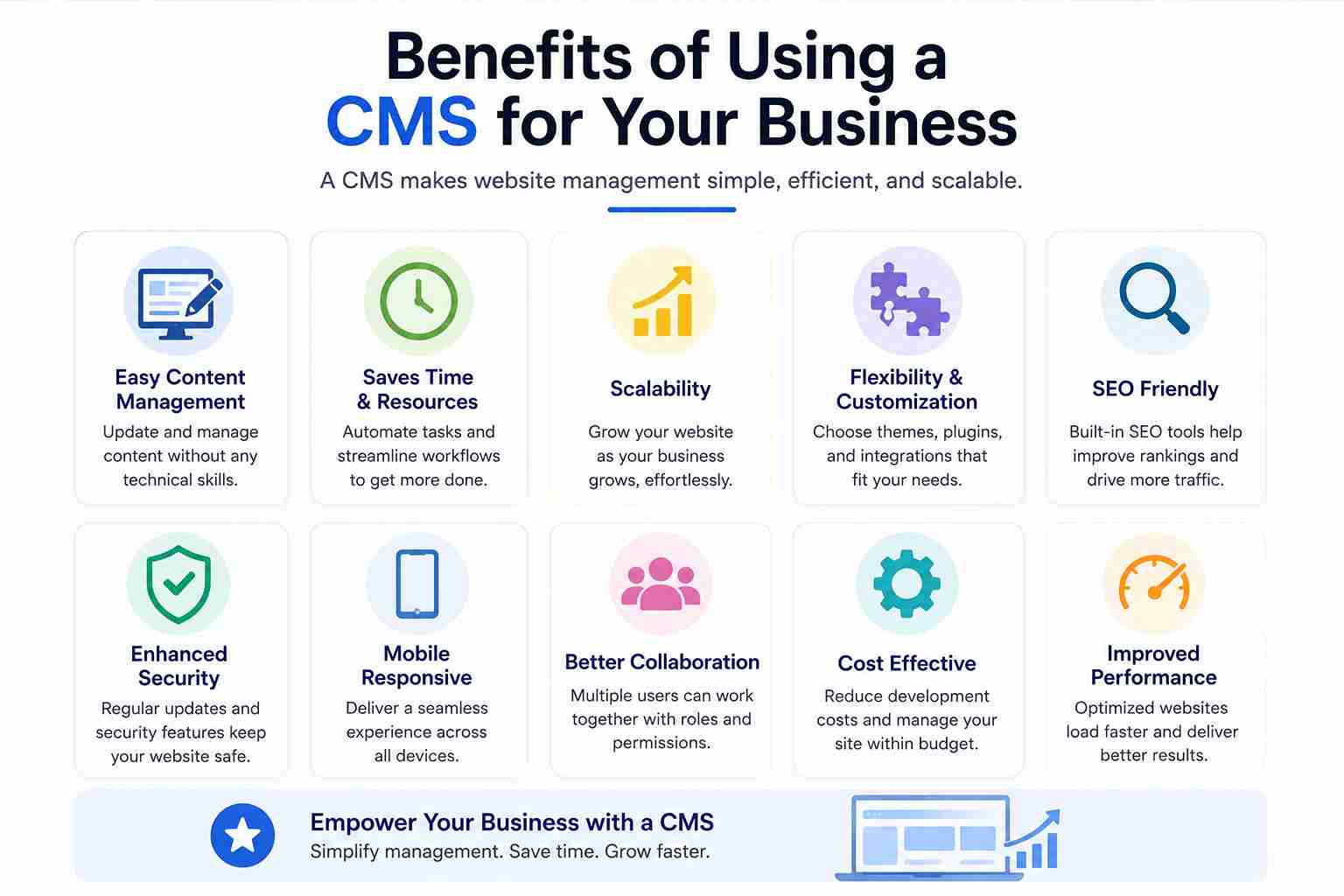 In this guide, you'll learn what a CMS is, how the leading CMS platforms work, what features to look for, and how to choose the best website management software for your specific needs.
What Is a Web Content Management System?
If you've ever asked, what is a web content management system? here's a clear, definitive answer:
A web content management system (WebCMS) is software that allows users to create, manage, modify, and publish digital content on a website through a visual interface without needing technical or coding expertise.
 At its core, a CMS separates two distinct layers:
The content layer text, images, videos, pages, blog posts
The presentation layer how that content looks and behaves on screen
This separation means a marketing manager can update a landing page while a developer simultaneously works on back-end functionality without either interfering with the other. Expert Insight: A well-implemented content management system website reduces average time-to-publish by up to 60% compared to manually coded websites, according to industry workflow studies.
Popular examples of Content Management System platforms include WordPress (powering over 43% of all websites globally), Drupal, Joomla, Shopify, Magento, Webflow, and Contentful.
How CMS Platforms Work: The Technical Basics (Simplified)
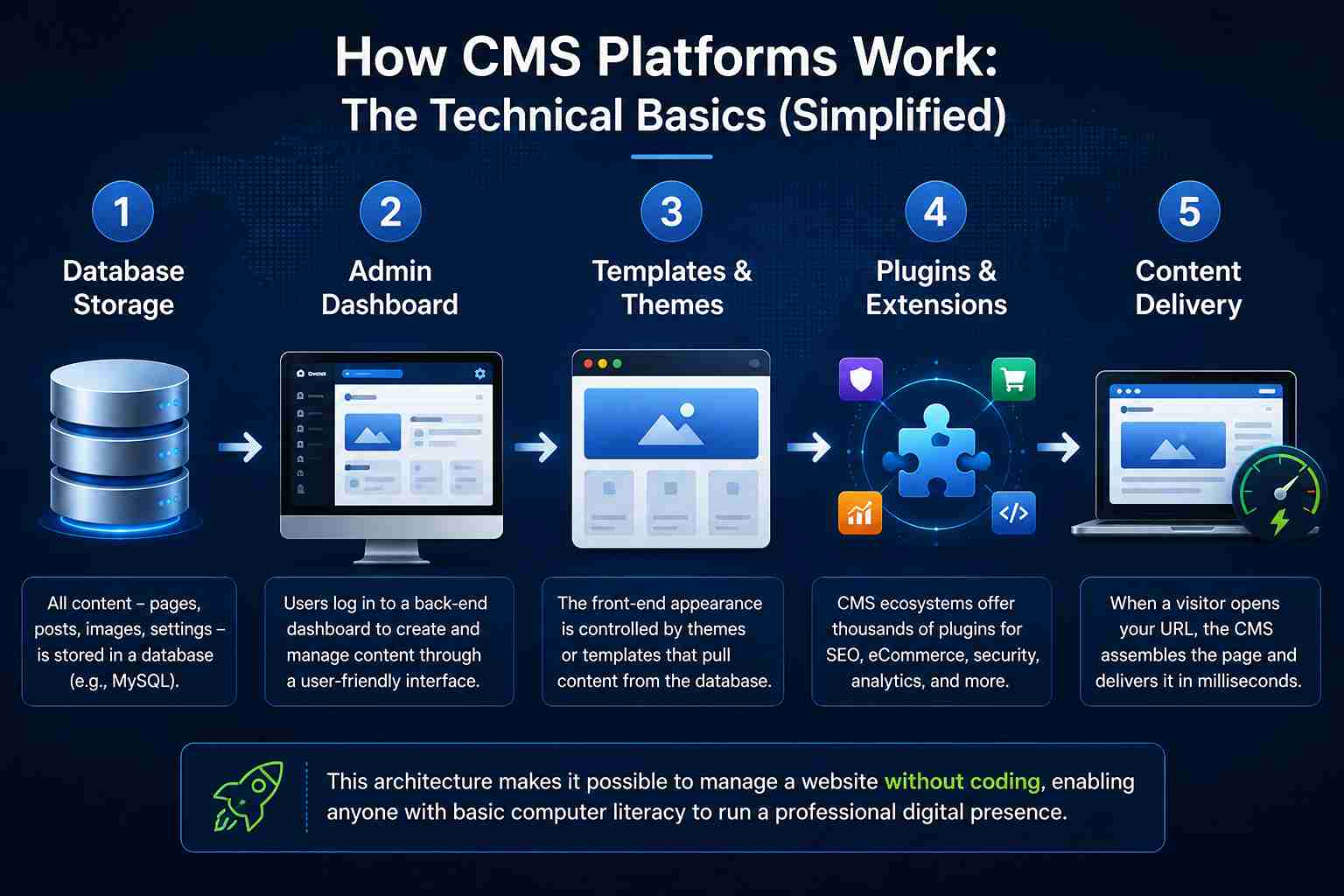
Understanding how a CMS works helps you make a smarter choice. Here's a simplified breakdown:
1. Database Storage
All content pages, posts, images, settings is stored in a database (typically MySQL or PostgreSQL).
2. Admin Dashboard
Users log in to a back-end dashboard (e.g., WordPress's "wp-admin") to create and manage content through a user-friendly website dashboard.
3. Templates and Themes
The front-end appearance is controlled by themes or templates, which pull content from the database and render it for visitors.
4. Plugins and Extensions
CMS development ecosystems include thousands of plugins for SEO, eCommerce, security, analytics, and CMS integration with third-party tools.
5. Content Delivery
When a visitor opens your URL, the CMS assembles the page dynamically and delivers it to their browser in milliseconds.
This architecture makes it possible to manage a website without coding, enabling anyone with basic computer literacy to run a professional digital presence.
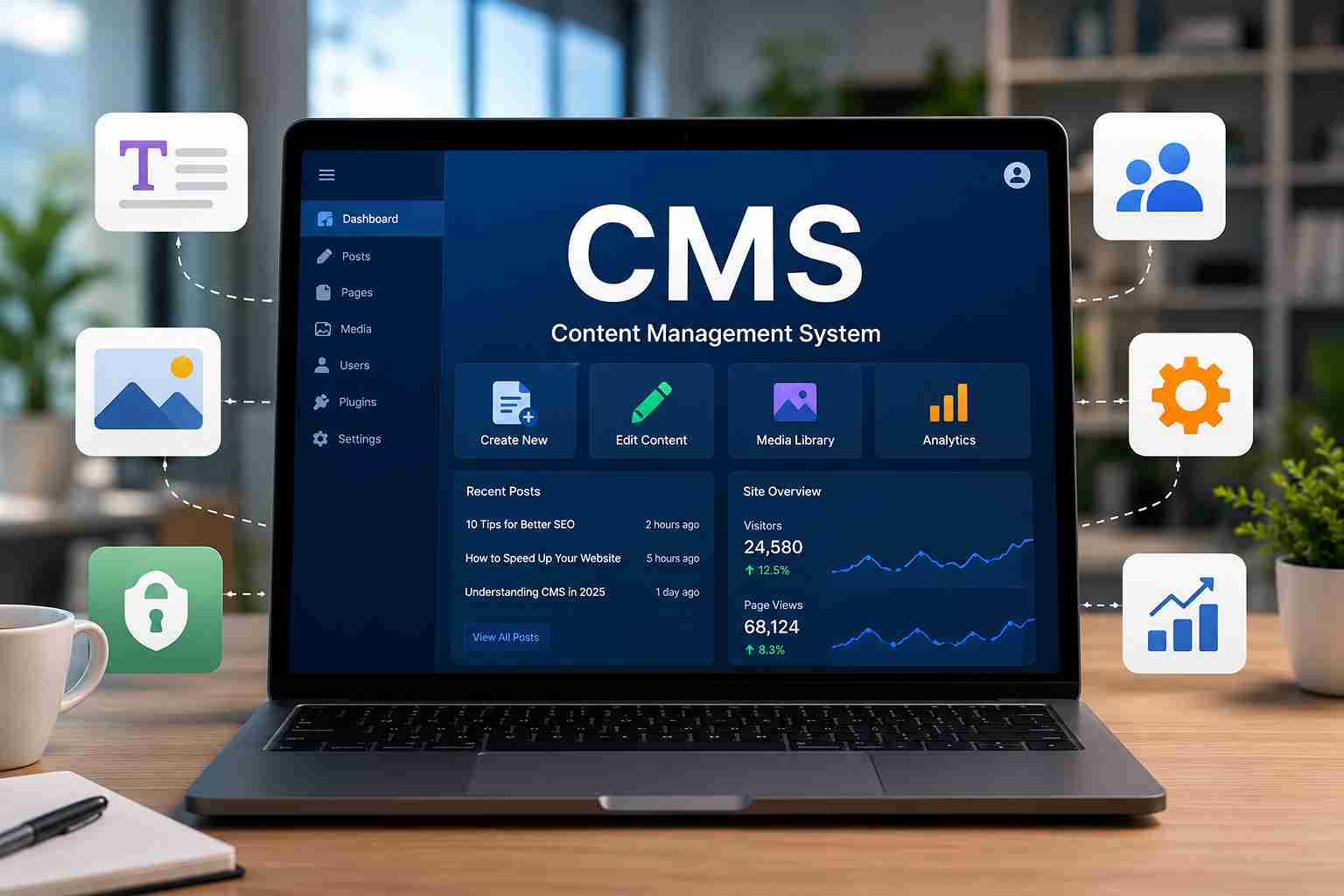
Key Benefits of Using a Content Management System Website
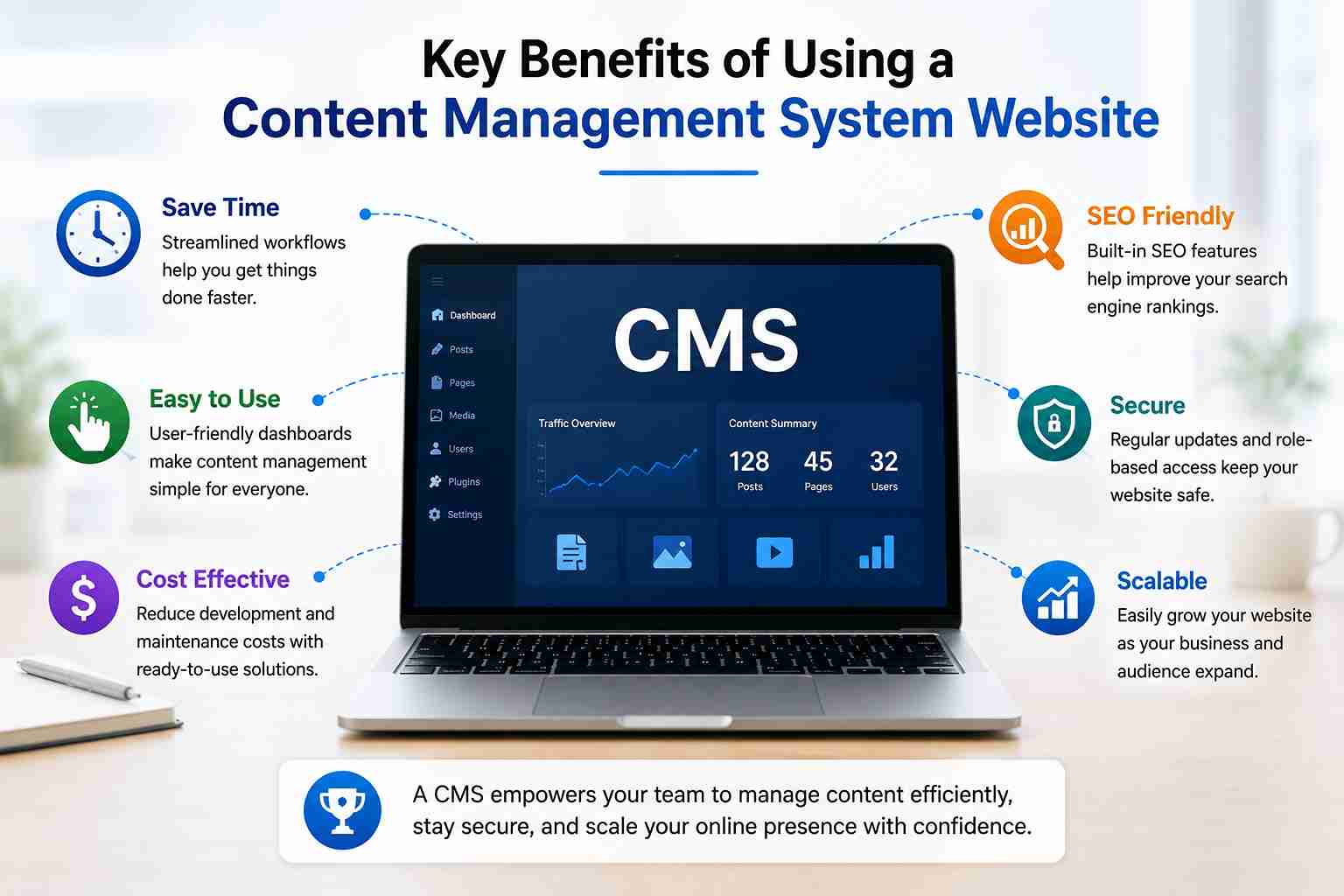 Effortless Content Creation and Publishing
Modern CMS platforms include WYSIWYG (What You See Is What You Get) editors similar to Google Docs or Microsoft Word that let you draft, format, and publish content visually.
This means your team can:
Publish blog articles and news updates on the fly
Edit product descriptions without touching a database
Create and schedule landing pages for campaigns
Upload and embed multimedia with one click
No developer required. No waiting. Just publish.
Centralized Website Management
One of the most powerful features of a content management system website is centralization. Instead of juggling file managers, FTP clients, spreadsheets, and separate tools, everything lives in a single dashboard:
Content editing
Media library
SEO settings
User permissions
Analytics integration
Plugin management
This unified approach dramatically reduces website management complexity, especially for growing teams.
Role-Based User Permissions
Collaboration is built into most CMS platforms through role-based user permissions. Typical roles include:
Role | Access Level |
Administrator | Full system control |
Editor | Publish and edit all content |
Author | Create and manage own content |
Contributor | Submit drafts for review |
Subscriber | View restricted content only |
This structure keeps your website content workflow organized and secure, even when dozens of people are involved.
SEO-Friendly Website Management
Search visibility is non-negotiable in 2026. Leading CMS platforms come with robust built-in SEO tools or plugin ecosystems (like Yoast SEO for WordPress) that enable:
Custom meta titles and descriptions per page
Clean, keyword-rich URL slugs
Automatic XML sitemap generation
Image alt-text management
Internal linking support
Schema markup integration
Mobile-responsive website design out of the box
SEO-friendly website management becomes dramatically more achievable when these tools are built into your daily workflow rather than handled as an afterthought.
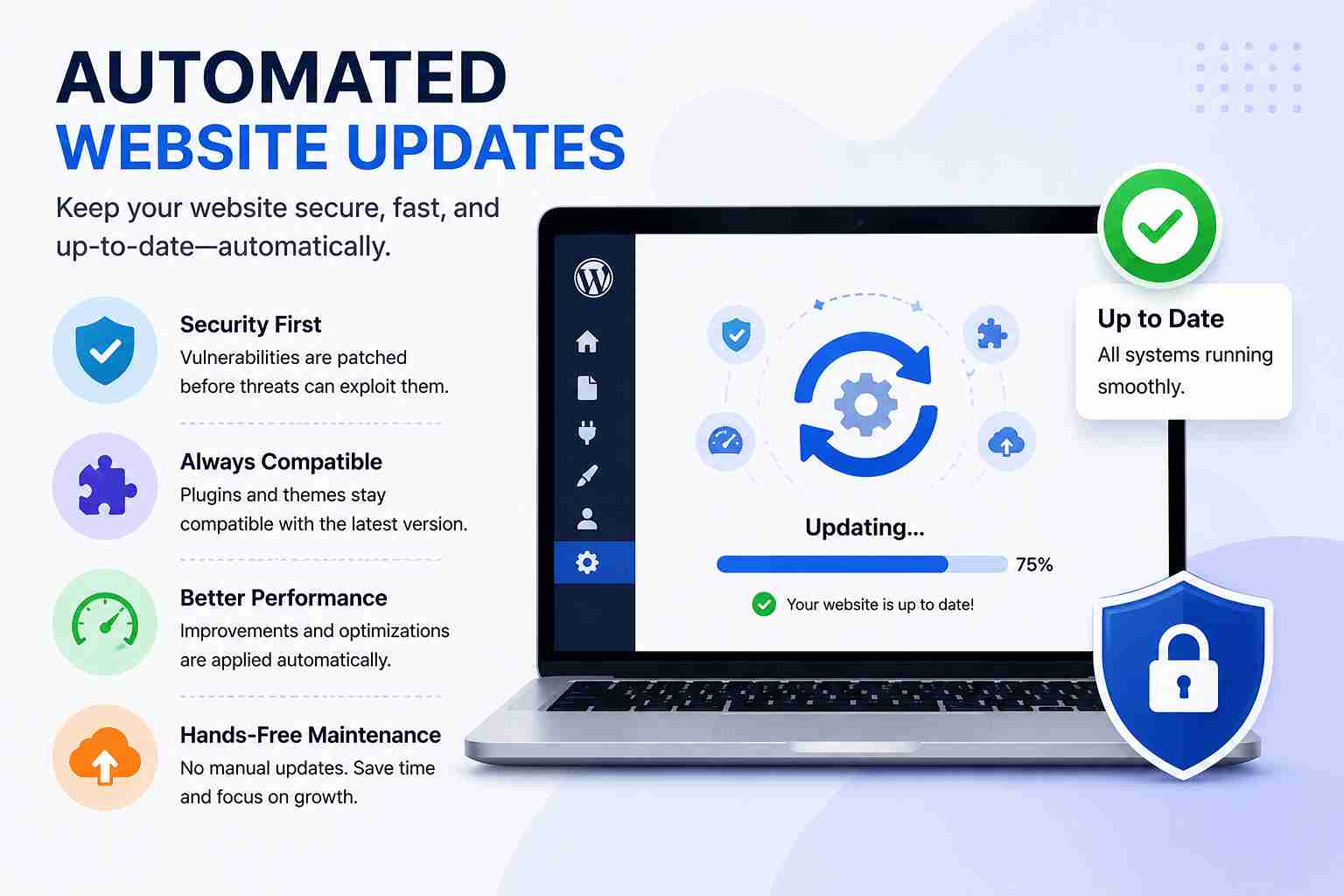 Automated Website Updates
Manual maintenance is one of the most time-consuming aspects of running a website. Automated website updates for core software, plugins, and security patches are a standard feature in modern CMS solutions.
This means:
Vulnerabilities get patched before hackers exploit them
Plugins stay compatible with the latest version
Performance improvements roll out without manual effort
Cloud-based CMS platforms like Webflow, Squarespace, and Contentful go a step further by handling all infrastructure updates on your behalf.
Types of CMS: Choosing the Right Architecture
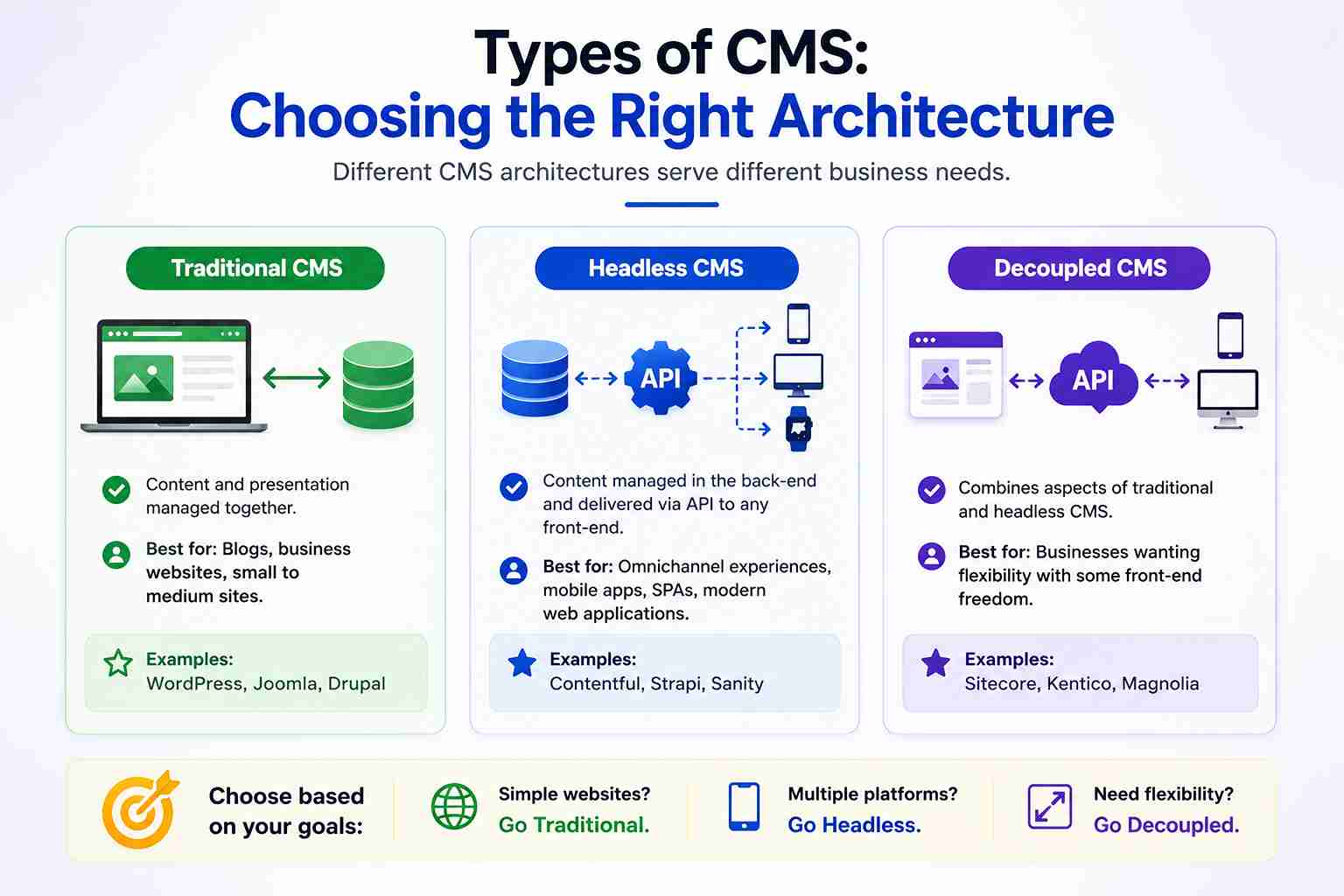 Understanding the types of CMS helps businesses make a future-proof decision.
Traditional (Coupled) CMS
The front-end and back-end are tightly connected. WordPress and Joomla are classic examples. Easy to set up but less flexible for multi-channel delivery.
Headless CMS
A headless CMS separates the content repository from the presentation layer entirely. Content is delivered via APIs to any front-end websites, mobile apps, smart displays, and voice interfaces.
Best for: Businesses that need content across multiple digital touchpoints.
Examples: Contentful, Strapi, Sanity.
Cloud-Based CMS
A cloud-based content management system is hosted entirely on the vendor's infrastructure. No server management required.
Benefits include:
Instant scalability
Automatic updates and backups
Built-in CDN for faster load times
Reduced IT overhead
Examples: HubSpot CMS, Shopify, Squarespace.
CMS with ERP Integration
 Larger organizations often need their CMS ERP (Enterprise Resource Planning) systems to communicate. A CMS ERP system integration connects website data orders, customer records, inventory directly to internal business operations, eliminating manual data transfers and errors.
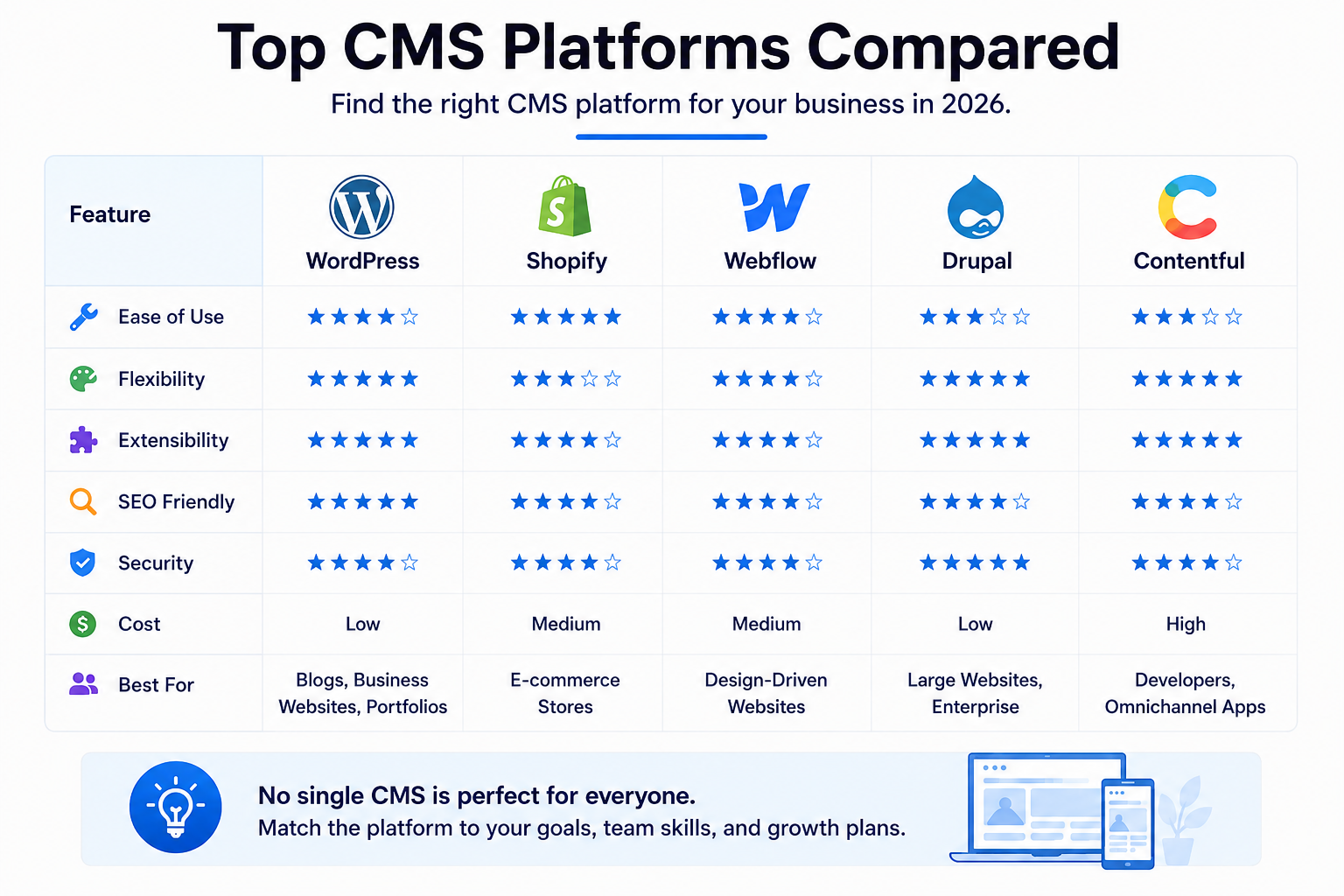
CMS Platforms Comparison: Which Is Right for You?
Platform | Best For | Ease of Use | Pricing | Headless Option |
WordPress | Blogs, business sites, eCommerce | ⭐⭐⭐⭐ | Free (hosting extra) | Via plugins |
Shopify | eCommerce stores | ⭐⭐⭐⭐⭐ | From $29/month | Yes |
Webflow | Designers, agencies | ⭐⭐⭐ | From $14/month | Yes |
Contentful | Enterprise, multi-channel | ⭐⭐⭐ | Free tier + paid | Yes (native) |
HubSpot CMS | Marketing teams | ⭐⭐⭐⭐⭐ | From $23/month | Partial |
Drupal | Complex enterprise sites | ⭐⭐ | Free (dev costs vary) | Yes |
Pro Tip: If you're just starting out, WordPress combined with a quality hosting provider and an SEO plugin is still the most cost-effective and scalable content management system website solution for most businesses.
What Makes the Best Website Management Software?
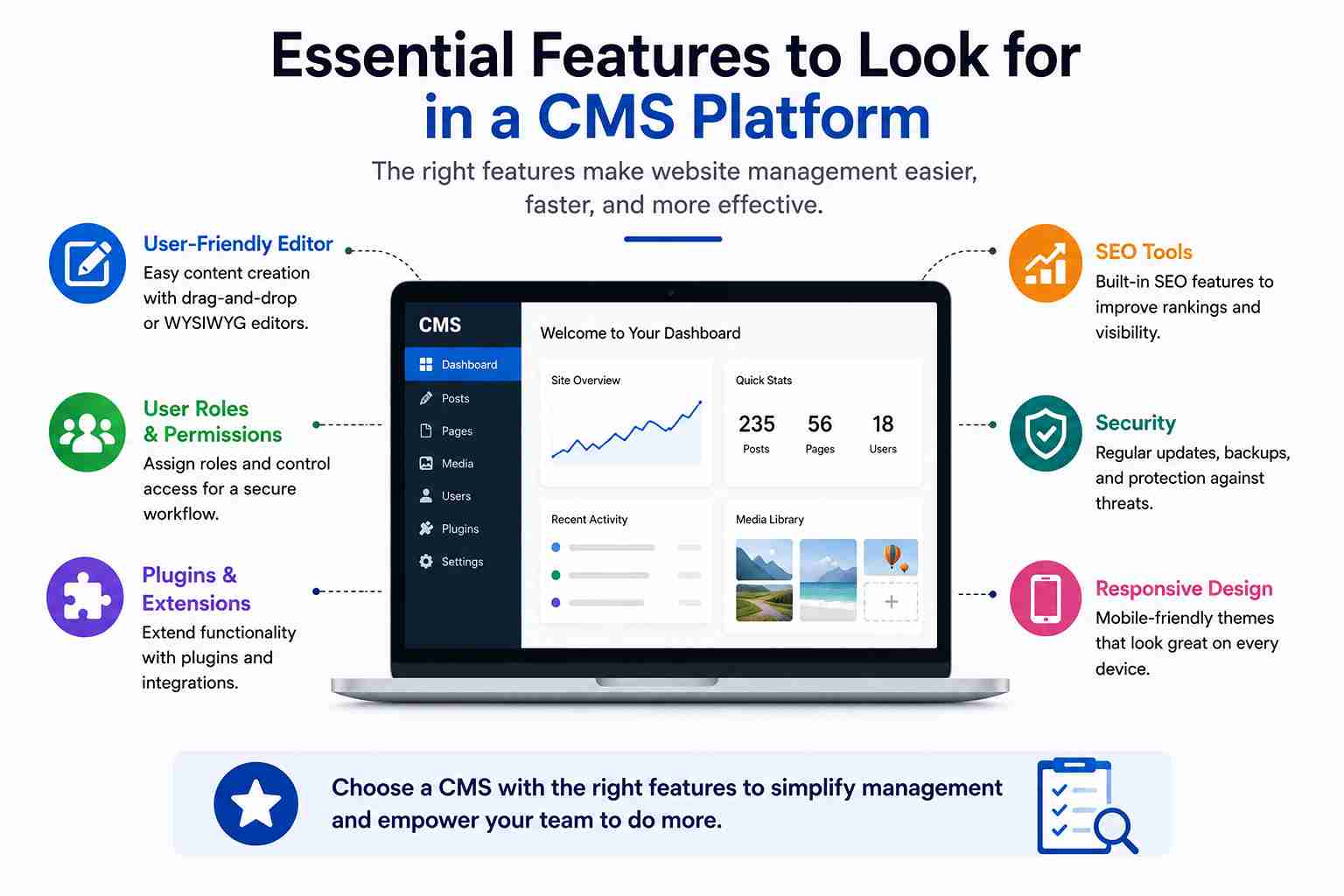 When evaluating the best website management software, look for these critical criteria:
Must-Have Features
Intuitive dashboard: Can a non-technical user navigate it on day one?
Mobile responsiveness: Does the CMS produce mobile-responsive websites by default?
SEO tools: Are meta fields, sitemaps, and schema built in?
Security features: Two-factor authentication, SSL support, regular patches
Scalability: Can it handle 10x your current traffic without a platform migration?
Integration ecosystem: Does it connect to your CRM, email marketing, and analytics stack?
Support and community: Is there a strong developer community for troubleshooting and CMS development?
Nice-to-Have Features
AI-assisted content suggestions
Built-in A/B testing
Personalization engine
Advanced workflow automation
Multi-language support
CMS Integration: Connecting Your Digital Ecosystem
A modern content management system doesn't operate in isolation. Through CMS integration, businesses connect their website to the broader digital toolset:
CRM integration: Automatically sync contact forms and leads to Salesforce or HubSpot
Email marketing: Trigger campaigns based on page visits or form submissions
Analytics platforms: Push content performance data to Google Analytics or Mixpanel
Payment gateways: Accept payments directly through the CMS
Social media: Auto-publish content across channels
This interconnected approach turns your website from a static brochure into a dynamic, data-driven business asset.
The Future of CMS Technology
CMS technology is evolving faster than ever. Here's what's shaping the next generation of platforms:
AI-Powered Content Workflows
AI tools embedded in CMS dashboards now help with SEO suggestions, content briefs, image generation, and automated tagging reducing content production time significantly.
Composable CMS Architecture
Rather than one monolithic system, businesses are assembling best-of-breed tools (composable architecture) a headless CMS paired with a specialized search engine, a personalization layer, and a commerce engine.
Edge Delivery and Performance
Next-gen cloud-based CMS platforms are deploying content from edge servers closest to the user, reducing load times to under 100ms globally.
Deeper Personalization
CMS platforms are integrating behavioral data to serve different content to different users in real time increasing engagement without manual segmentation.
These advances mean the content management system website of 2026 will feel fundamentally different from the one you set up five years ago.
FAQ Section
1. What is a content management system website?
A content management system website is a site built and managed using CMS software a platform that lets users create, edit, and publish web content through a visual dashboard without needing to write or edit code manually.
2. What are the most popular CMS platforms in 2026?
The most widely used CMS platforms include WordPress, Shopify, Webflow, Drupal, Joomla, HubSpot CMS, and Contentful. WordPress alone powers over 43% of all websites on the internet.
3. Can I manage a website without coding using a CMS?
Yes. One of the primary advantages of a CMS is that it allows anyone to manage a website without coding. Visual editors, drag-and-drop builders, and intuitive dashboards make updates accessible to non-technical users.
4. What is the difference between a traditional CMS and a headless CMS?
A traditional CMS couples content management with front-end display in one system. A headless CMS stores and manages content separately and delivers it via APIs to any front-end website, mobile app, or digital screen giving developers more flexibility.
5. What is the best CMS for SEO?
WordPress with plugins like Yoast SEO or Rank Math is widely regarded as one of the strongest CMS options for SEO, offering full control over meta data, sitemaps, schema markup, and URL structure. Webflow and HubSpot CMS also offer strong native SEO tools.
6. Is a cloud-based CMS better than a self-hosted one?
It depends on your needs. A cloud-based content management system offers simplicity, automatic updates, and no server management. A self-hosted CMS (like WordPress.org) offers more control, customization, and typically lower long-term cost at scale.
7. How does a CMS improve team collaboration?
CMS platforms include user role management, content workflow tools, draft and review states, and comment features enabling marketing teams, editors, designers, and administrators to collaborate on website content without conflicts or version control issues.
Conclusion
A content management system website is no longer a luxury it is the operational foundation of every successful digital presence. Whether you are a business owner trying to publish content faster, a marketer optimizing for SEO, or an enterprise team managing a complex portal, the right CMS platform eliminates friction, reduces costs, and unlocks your website's full potential.
From website management and media organization to CMS integration with your broader tech stack, modern platforms offer everything you need to compete in a fast-moving digital landscape without requiring a developer for every change.
The key is choosing wisely. Evaluate your business goals, your team's technical capabilities, and your long-term scalability needs. Then invest in a platform that grows with you.