
Beyond Manual Entry: How Custom ERP Development and Automation Workflows Scale Businesses
Introduction: The Hidden Tax on Business Growth
Every growing business eventually hits the same invisible wall.
Sales are climbing. The team is expanding. New markets are opening up. And yet, somewhere deep in the operations, a silent crisis is building spreadsheets multiplying across departments, data entry eating up hours of productive time, and critical business decisions being made on information that is already 48 hours out of date.
This is not a people problem. This is a systems problem. And the solution lies in custom ERP development.
Custom Enterprise Resource Planning (ERP) systems are purpose-built platforms that unify every function of a business from finance and inventory to HR and procurement into a single, intelligent infrastructure. Unlike generic off-the-shelf solutions, a custom ERP is engineered around how your business actually works. When paired with intelligent automation workflows, it transforms operations at every level.
In this article, we will walk through how modern custom ERP software development eliminates data silos, why business process automation is no longer optional for scaling companies, and what a real-world engineering implementation looks like from the inside.
What Is Custom ERP Development? A Clear Definition
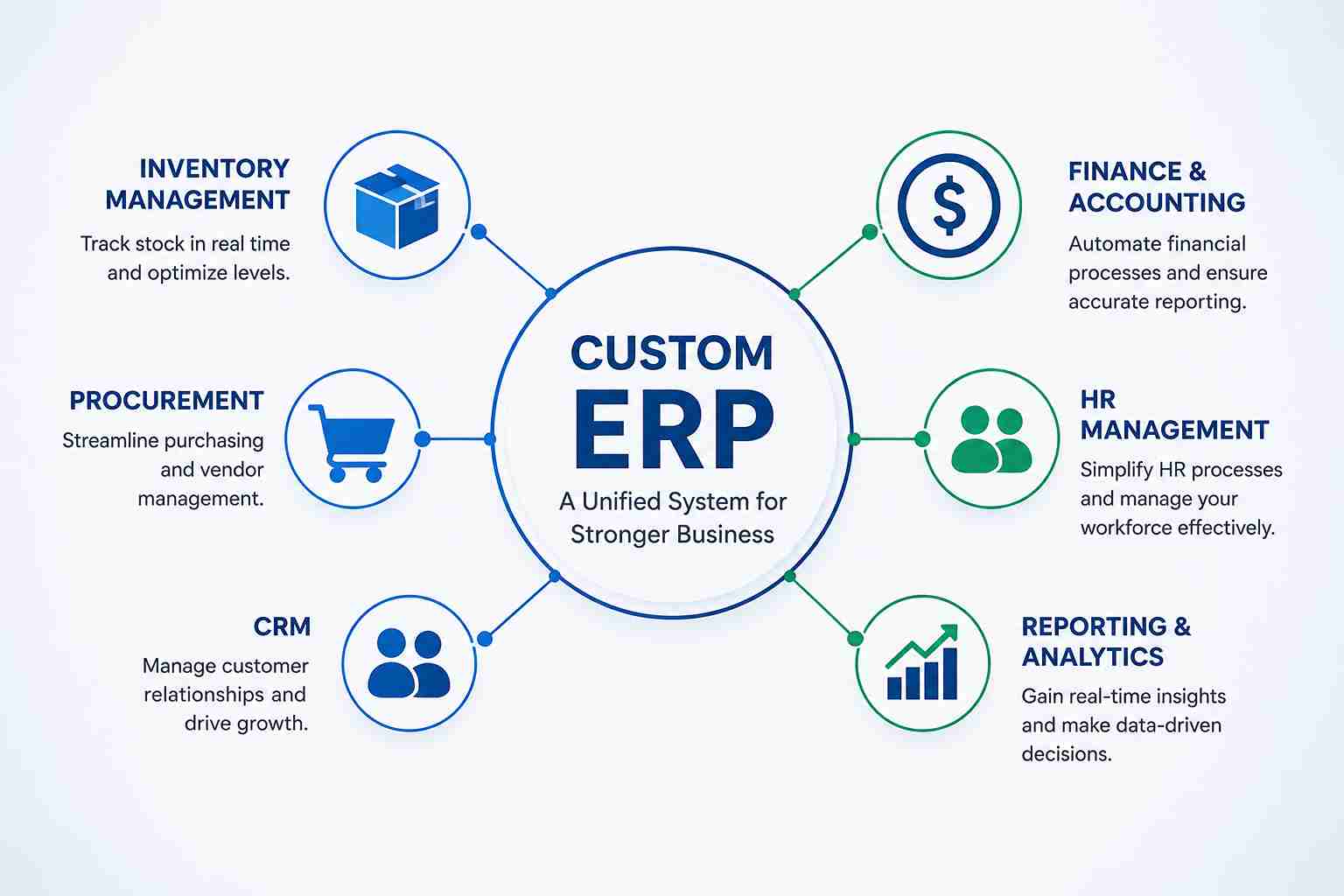
Custom ERP development is the process of designing, building, and deploying an Enterprise Resource Planning system that is specifically architected for a company's unique operational requirements rather than adapting a business to fit the limitations of a commercial product.
A custom ERP integrates core business modules, including inventory management, financial reporting, procurement, human resources, and customer relationship management, into one centralized platform with automated data flow between them.
Key characteristics of a custom-built ERP include:
Tailored module design: Only the features your business actually needs
Custom automation rules: Trigger-based workflows built around your specific processes
Scalable architecture: Infrastructure that grows with your business without performance degradation
Native integrations: Clean connections to third-party tools you already use
The distinction between a custom ERP and a packaged solution like SAP or Oracle NetSuite is significant. Off-the-shelf platforms force businesses into predefined workflows, often requiring expensive consultants just to configure basic functionality. Custom erp software development, on the other hand, starts with your business logic and builds outward.
Why Manual Processes Are a Growth Killer
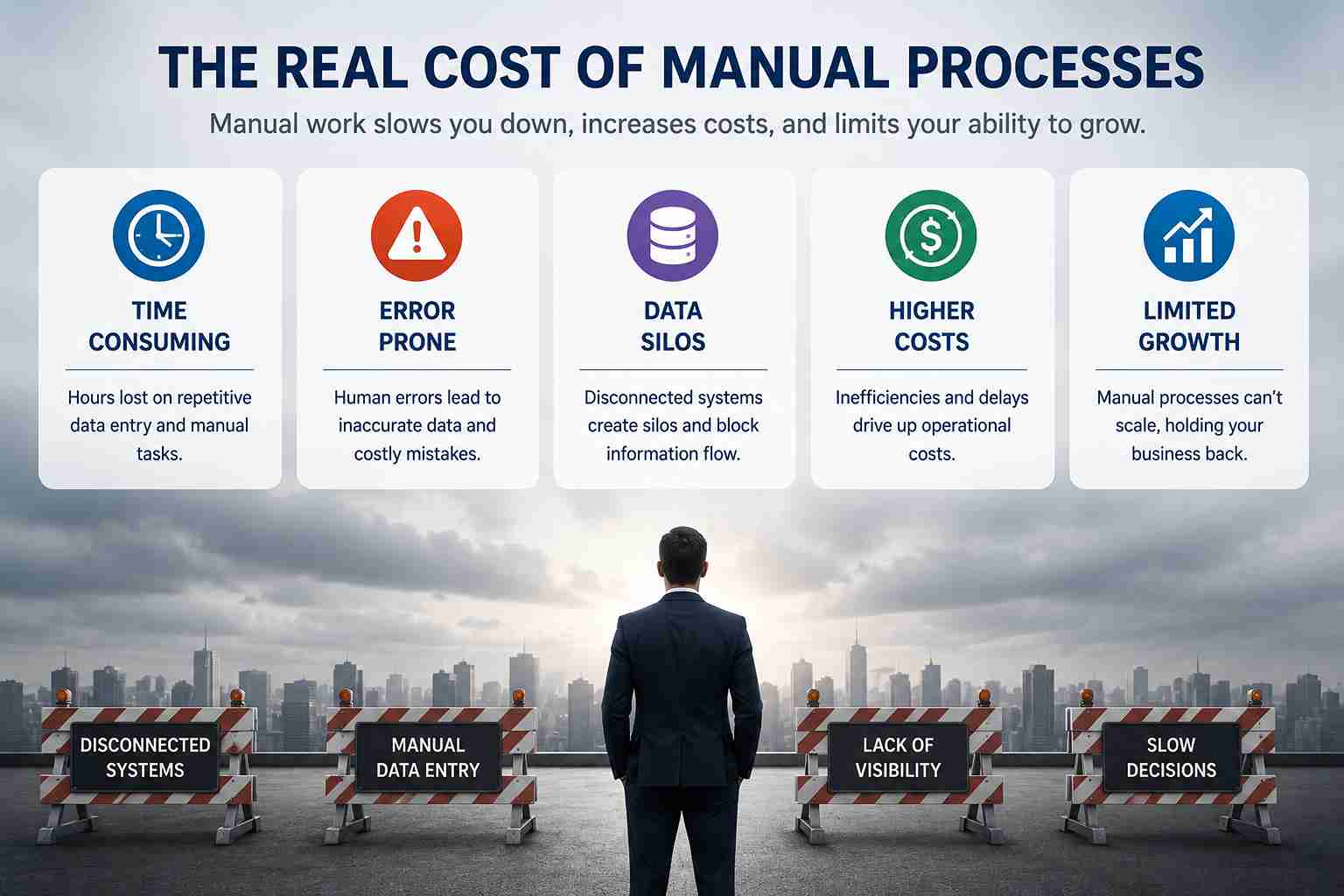
Before exploring the solution, it is worth understanding the scale of the problem.
When businesses rely on manual data entry and disconnected software tools, they are not just losing time they are compounding errors across every downstream process. A single incorrect figure entered into a spreadsheet can cascade through inventory calculations, financial forecasts, and supplier purchase orders before anyone notices.
The operational costs are substantial:
Administrative overhead: Staff spend hours each week on repetitive data transfers between systems that do not communicate with each other.
Decision latency: Leaders are making strategic choices based on data that is days old, because reports are compiled manually at the end of reporting cycles.
Scaling friction: As transaction volume increases, manual processes require proportional headcount growth making profitability increasingly difficult to maintain.
Compliance risk: Without automated audit trails, tracking approvals and financial authorizations becomes unreliable.
Enterprise workflow automation directly addresses each of these failure points by replacing human-dependent processes with system-driven logic.
The Engineering Architecture: Building a Custom ERP That Works
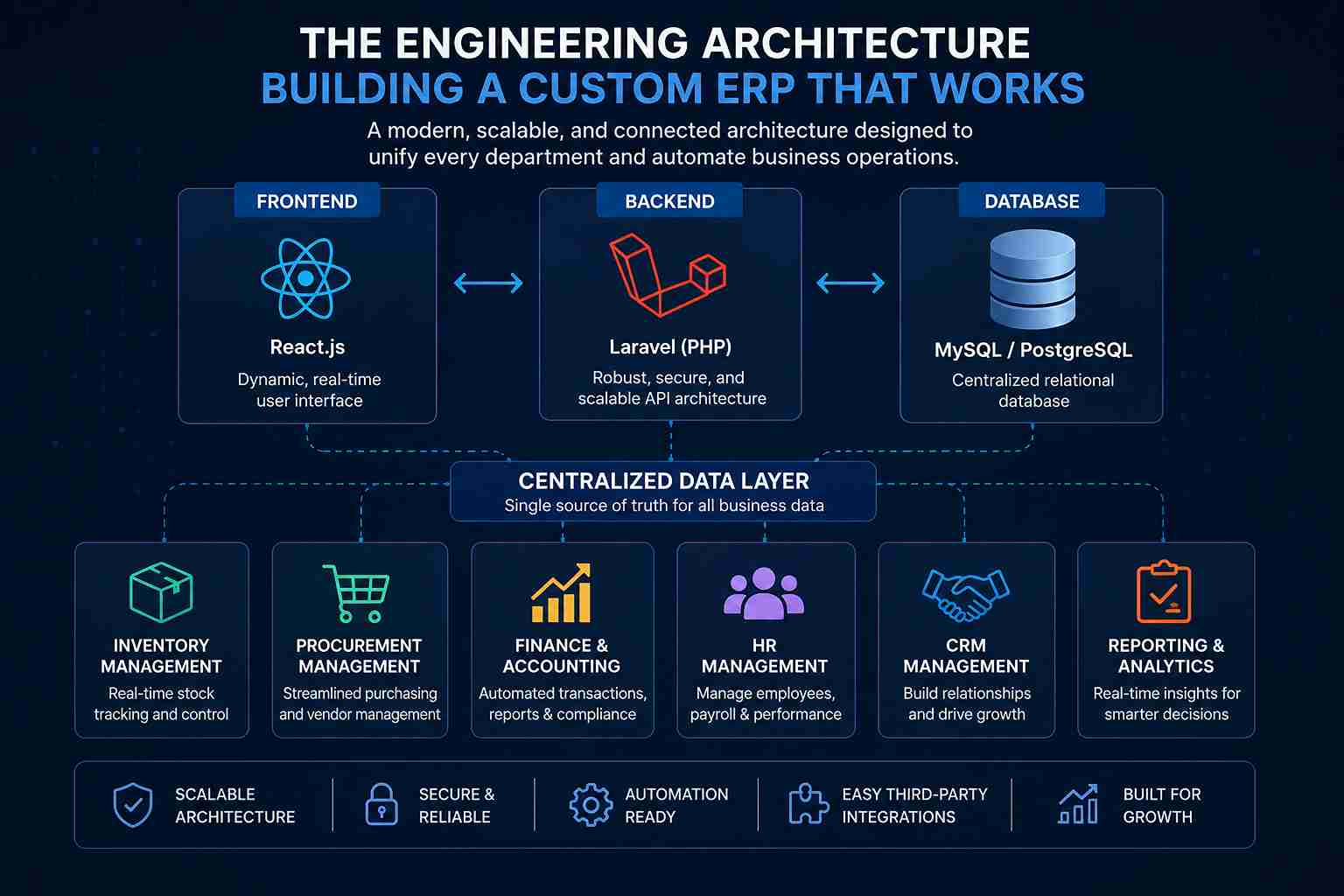
At Revuteck, our engineering team recently architected a full-scale custom ERP application for a growing mid-market business. The strategic goal was straightforward: eliminate data silos and replace manual administrative processes with intelligent, trigger-based automation.
The technical stack we chose reflects a philosophy of performance and adaptability:
Backend: Laravel (PHP) chosen for its robust ORM, queue management, and clean API architecture
Frontend: React.js, enabling a dynamic, real-time user interface that updates without full page refreshes
Database: Centralized relational database with structured module relationships across departments
This custom software development process followed a department-by-department integration model, ensuring that each module, inventory, finance, procurement, and HR communicated through a shared data layer rather than maintaining isolated records.
Core Principle: Connectivity Over Features
The most important design decision in any custom erp development project is not which features to build but how information flows between them.
An ERP is only as powerful as its ability to route data intelligently across departments without requiring human intervention. Every module we built was designed with event-driven architecture: when something happens in one area of the system, it automatically triggers the appropriate response in every connected area.
Key Automation Workflows: What Was Built and Why
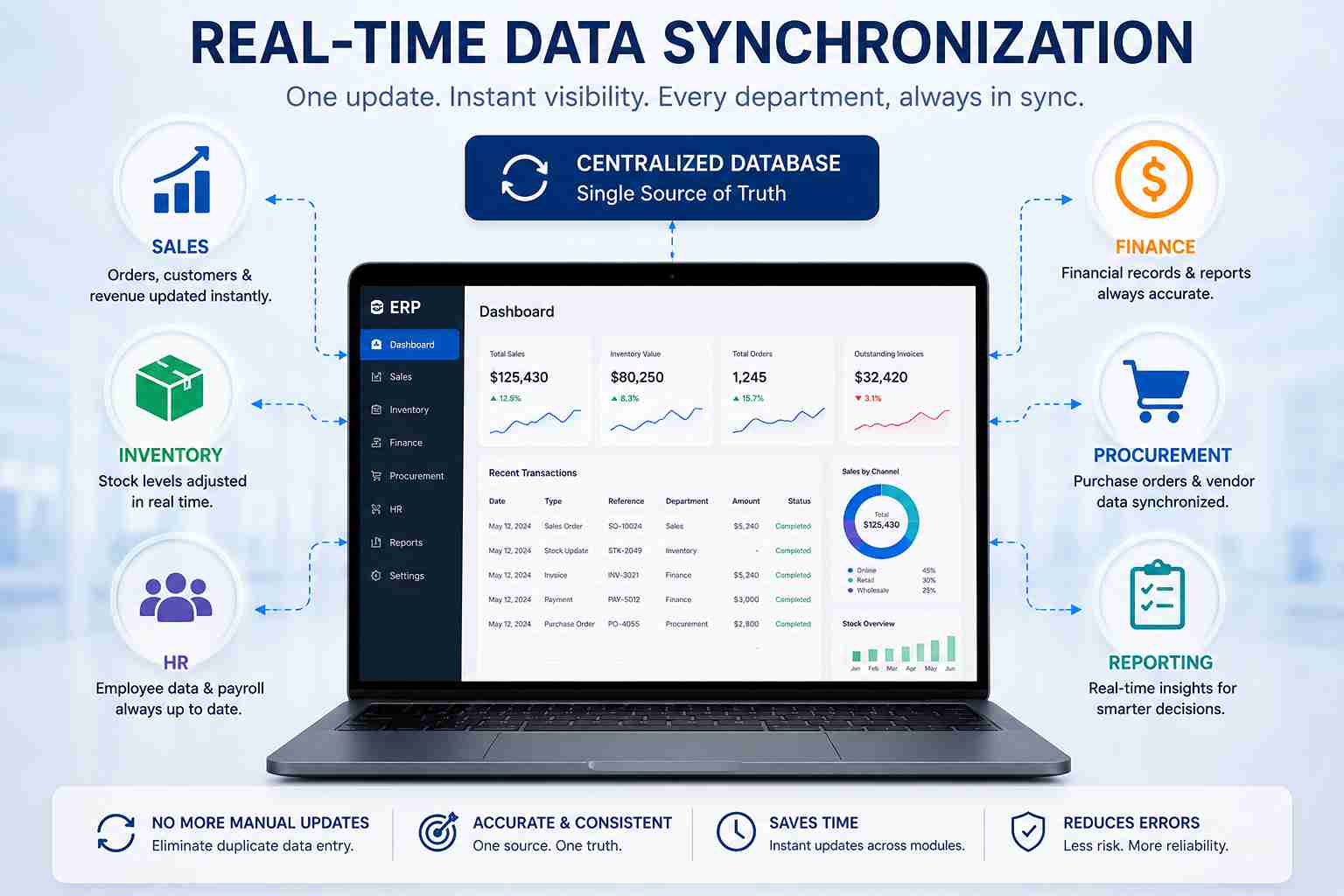 1. Real-Time Data Synchronization
The problem it solves: In manual environments, sales teams log orders in one system while inventory is tracked in a separate spreadsheet and finance records revenue in yet another tool. By the end of the day, three departments have three different versions of the truth.
The automated solution: Every transaction logged in the ERP instantly updates the centralized database. Sales, inventory, and finance modules all read from and write to the same data source in real time. No manual data transfers. No reconciliation delays.
This is foundational to real-time business intelligence: decision-makers can view an accurate, live snapshot of business performance at any moment.
2. Automated Approval Chains
The problem it solves: Procurement and budget approvals traditionally travel through email chains, creating bottlenecks when a decision-maker is unavailable and generating zero audit trail.
The automated solution: The ERP applies configurable business rules to route approvals automatically. For example:
Any purchase order exceeding a defined threshold triggers an instant notification to the department manager
Leave requests are automatically routed to the relevant team lead
Budget sign-offs are escalated based on value tiers, with deadline reminders dispatched at set intervals
This is a core component of business process automation, removing the human middleman from routine decision routing while keeping human judgment in the loop for final sign-off.
3. Triggered Financial Reporting
The problem it solves: Finance teams in manual-process environments spend days at the end of each reporting cycle pulling data from multiple sources, formatting reports, and distributing them to stakeholders.
The automated solution: The ERP serves as automated financial reporting software by aggregating sales and expense data continuously throughout the month and generating polished, formatted reports on a scheduled basis. These reports are automatically distributed to the relevant stakeholders no manual compilation required.
The operational impact is significant: finance teams redirect days of report-production work toward analysis and strategic planning instead.
4. Inventory and Procurement Alerts
The problem it solves: Stock-outs and over-procurement both represent costly operational failures. Manual inventory monitoring is reactive problems are noticed only after they have already caused disruption.
The automated solution: The ERP monitors stock levels continuously against configured thresholds. When inventory drops below 10% of operational capacity, the system automatically generates and dispatches a vendor purchase order request to the procurement manager, closing the supply loop before a shortage can occur.
This is intelligent process automation applied to supply chain management a capability that custom business applications can deliver in ways that generic ERP platforms typically cannot accommodate without expensive customization. ERP Automation Workflow: System Flow Reference
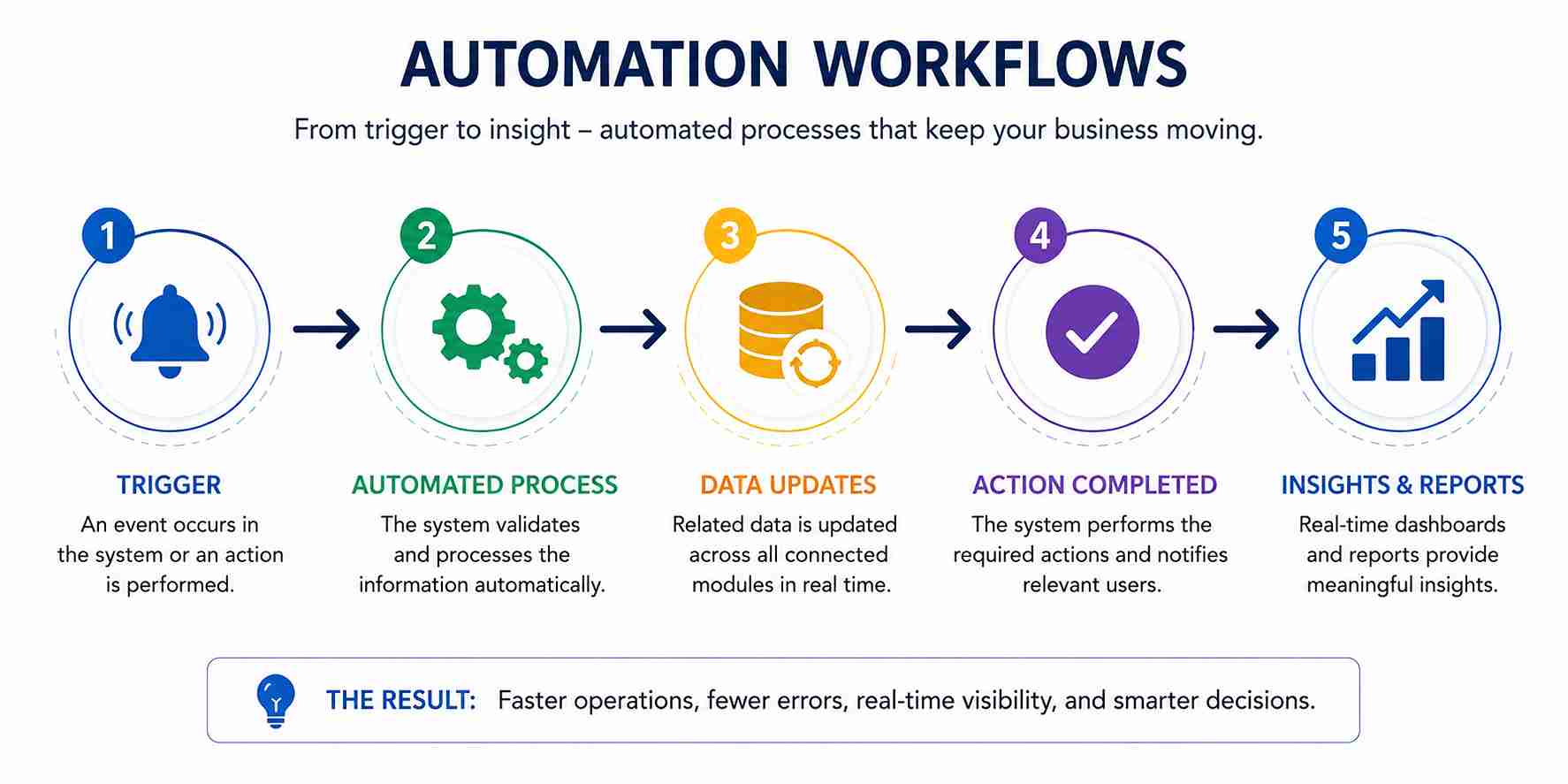 The table below illustrates how the core automation logic operates across the business lifecycle:
Process Phase | System Trigger | Automated Action | End Result |
Data Entry | New sales order logged | Instant sync across inventory and finance modules | Centralized database updated in real time |
Approval Chain | Order value exceeds $5,000 | Notification dispatched to department manager | Order pending authorized sign-off |
Inventory Check | Stock level drops below 10% capacity | Auto-generation of vendor purchase order request | Procurement loop closed without manual intervention |
Financial Reporting | End of operational month | Aggregation of sales and expense data | Automated report distributed to stakeholders |
This workflow architecture represents enterprise workflow automation in its most practical form: a system that runs the operational logic of the business so that people can focus on the decisions that require human judgment.
Custom or Ready-Made: What's Best for Your Business?
One of the most common questions businesses face is whether to invest in custom erp development or purchase an existing platform. The answer depends on several factors:
Factor | Custom ERP | Off-the-Shelf ERP |
Fit to business processes | Engineered to your exact workflows | Business must adapt to platform logic |
Upfront investment | Higher initial build cost | Lower initial licensing fee |
Long-term cost | Lower no per-seat licensing, no unused modules | Higher ongoing licensing, customization consultant fees |
Scalability | Designed for your growth trajectory | Constrained by vendor's roadmap |
Integration | Native connections to your existing tools | Dependent on vendor-provided connectors |
Automation depth | Unlimited is built around your specific rules | Limited to features the vendor supports |
For businesses with unique operational models or aggressive growth targets, the economics of custom erp software development typically become favorable within 18 to 36 months due to eliminated licensing costs and productivity gains from purpose-built automation.
The Business Impact: What Changes After Implementation
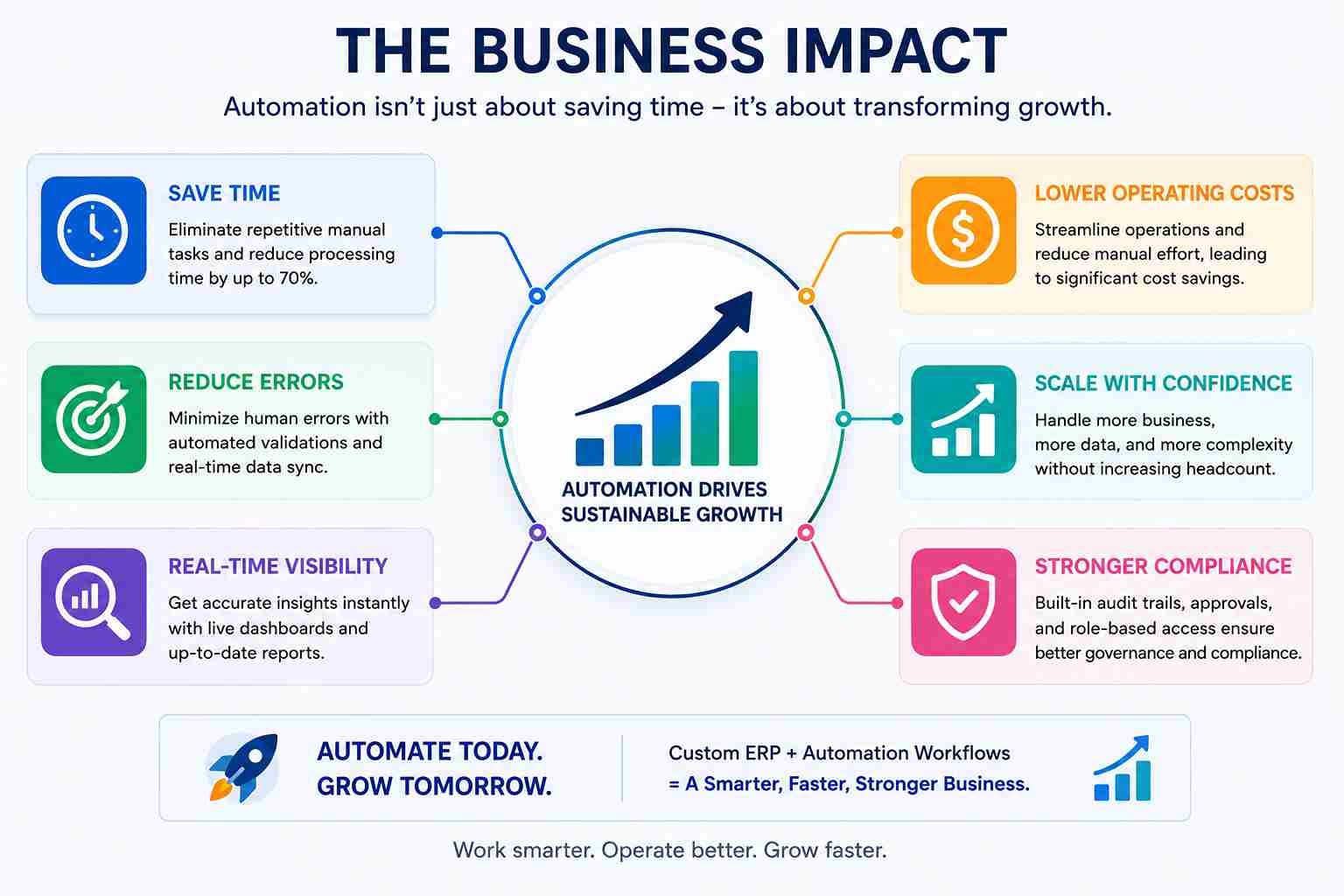
The transition from manual tracking to a fully automated ERP system produces measurable changes across the organization.
Drastic Error Reduction When repetitive data entry is replaced by automated synchronization, the primary source of administrative errors disappears. Data integrity improves across every module because information is entered once and propagated correctly.
Reclaimed Management Time Leaders who previously spent hours each week acting as data processors pulling reports, chasing approvals, reconciling spreadsheets return their focus to strategy, growth decisions, and customer-facing work.
Grow Your Business Without Constantly Increasing Headcount. Automation helps companies handle more work with fewer manual resources. The infrastructure handles increasing data loads and transaction volumes without requiring a corresponding increase in administrative staff. A business can double its operational output without doubling its back-office team.
Cross-Department Visibility When all departments read from a single centralized database, organizational silos collapse. Sales, finance, procurement, and operations are working from the same real-time information enabling faster, better-coordinated decisions.
Automated Compliance and Audit Trails Every approval, every financial transaction, and every system-generated action is logged automatically. This creates a robust audit trail that supports both internal governance and external regulatory compliance.
How Custom ERP Development Supports Long-Term Business Strategy
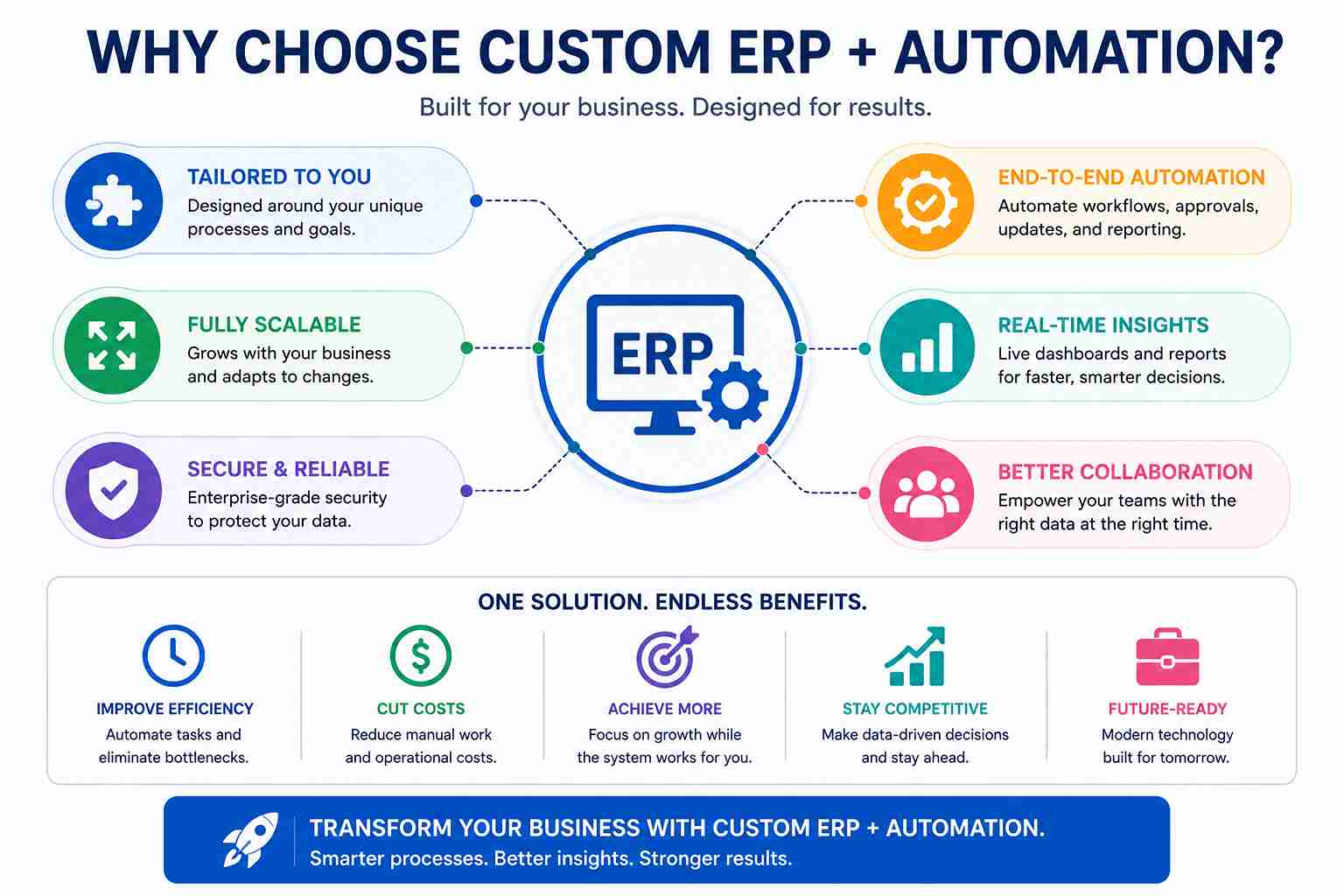
A well-engineered ERP is not simply an operational tool it is a strategic asset. As the business evolves, the system evolves with it.
The custom software development process that produces a strong ERP should be designed for modularity: new departments, new product lines, new markets, and new regulatory requirements can each be accommodated by adding or modifying modules without rebuilding the core system.
This architectural philosophy, building for adaptability rather than just current requirements, is what separates a genuinely scalable custom business application from a rigid tool that will require replacement in three years.
The long-term strategic value compounds over time: as more processes are automated, the organization generates richer operational data, enabling increasingly sophisticated real-time business intelligence and predictive decision-making.
FAQ: People Also Ask About Custom ERP Development
1. What is the difference between custom ERP development and off-the-shelf ERP software?
Custom ERP development produces a system built specifically around a company's unique business processes, workflows, and integration requirements. Off-the-shelf ERP software is a pre-built platform that requires businesses to adapt their operations to fit the product's existing logic. Custom solutions offer superior automation depth, long-term cost efficiency, and scalability, but require a higher initial investment.
2. How long does custom ERP software development typically take?
The timeline for custom erp software development varies by project scope, but a mid-market implementation typically ranges from four to twelve months from requirements gathering to production deployment. A phased rollout approach, launching core modules first and adding automation layers progressively, reduces risk and delivers early operational value.
3. What types of businesses benefit most from enterprise workflow automation?
Any business experiencing operational bottlenecks from manual processes can benefit from enterprise workflow automation. Industries that see the highest ROI include manufacturing, logistics, retail, professional services, and healthcare particularly when transaction volumes are high, compliance requirements are significant, or multi-department coordination is frequent.
4. What is the ROI of implementing business process automation in an ERP?
The ROI of business process automation through a custom ERP comes from multiple sources: reduction in administrative labour costs, elimination of errors that require costly correction, faster approval cycles that accelerate revenue collection, and leadership time redirected from data processing to high-value strategic activity. Most mid-market businesses recover implementation costs within 18 to 36 months.
5. Can a custom ERP integrate with existing software tools that a business already uses?
Yes. One of the primary advantages of custom erp development is that the integration layer is designed around the company's actual technology environment. A custom-built system can connect natively to existing CRM platforms, payment gateways, e-commerce systems, accounting tools, and third-party APIs without the connector limitations that constrain off-the-shelf platforms.
6. What is automated financial reporting software, and how does it work inside an ERP?
Automated financial reporting software is a system that continuously aggregates transactional data sales, expenses, procurement costs, and payroll, and generates structured reports on a scheduled or triggered basis. Inside a custom ERP, the financial module monitors the centralized database in real time and produces formatted reports that are automatically distributed to designated stakeholders at the close of each reporting period, eliminating the manual compilation process entirely.
7. How does custom ERP development support business scalability?
A custom ERP supports scalability in two ways. Technically, the infrastructure is engineered to handle increasing data volumes without performance degradation. Operationally, automated workflows mean that transaction volume can grow without requiring proportional growth in administrative headcount, as the system absorbs the additional load. This is the core mechanism through which custom business applications enable businesses to scale efficiently.
Conclusion: Your Operations Are Either a Foundation or a Ceiling

Every business will eventually reach the point where manual processes stop being an inconvenience and start being a genuine constraint on growth. The question is whether you address that constraint proactively or wait until it is already costing you customers, revenue, and competitive position.
Custom ERP development is the engineering answer to that challenge. By building a system tailored to your exact operational logic, connecting every department through a centralized data layer, and replacing repetitive manual tasks with intelligent automation workflows, you create an infrastructure that scales with ambition rather than against it.
An effective ERP is not a digital filing cabinet. It is the central nervous system of a modern business, sensing activity across every function, routing information intelligently, and executing decisions at machine speed so your people can focus on the work that actually drives growth.
If your business is ready to move beyond manual entry and build operations that scale, the foundation starts with the right engineering approach.
Ready to explore what a custom ERP could look like for your business? Connect with an engineering team that builds around your requirements, not the other way around.